Real ML Training Pipeline
From hyperparameter search space to real val_bpb metrics: how XeeNet runs actual PyTorch training across distributed workers.
The Autoresearch Contract
XeeNet's training pipeline follows the autoresearch pattern pioneered by Andrej Karpathy: every experiment is a self-contained script that runs for a fixed compute budget and reports a single comparable metric.
Fixed Compute Budget
Each task has a time_budget_seconds. The script exits
gracefully at 90% of the budget. The worker enforces a hard kill
at budget + 15 seconds. Tasks always terminate.
Self-Contained Script
The training script (train_char_lm.py) uses only stdlib + PyTorch.
No XeeNet imports, no framework dependencies. It downloads its own dataset
on first run. Move it to any machine and it works.
Single Comparable Metric
Every task reports val_bpb (validation bits-per-byte), a
normalised measure of model quality. Lower is better. Different architectures
and hyperparameters are directly comparable on this metric.
Hyperparameter Search Space
The CharLMConfigGenerator defines the search space for character-level
language model experiments. Each task samples a unique configuration from this space
using a deterministic seed.
| Parameter | Range / Choices | Sampling |
|---|---|---|
lr |
[1e-4, 1e-2] | Log-uniform |
lr_schedule |
cosine, linear, step_decay | Uniform choice |
n_layers |
2, 4, 6 | Uniform choice |
n_heads |
2, 4 | Uniform choice |
d_model |
64, 128, 256 | Uniform choice (divisible by n_heads) |
d_ff |
256, 512 | Uniform choice |
batch_size |
32, 64, 128 | Uniform choice |
context_length |
128, 256 | Uniform choice |
The generator uses random.Random(seed) for deterministic sampling.
Given the same seed, the same config is produced every time, on every platform.
The training script also seeds PyTorch and Python's random module.
The Training Script
experiments/train_char_lm.py is a ~250-line self-contained training script.
It implements a character-level GPT: a pre-norm decoder-only transformer with causal masking.
Architecture
- Tokenisation: Character-level (~65 vocabulary tokens from TinyShakespeare)
- Model: Pre-norm decoder-only transformer with causal attention masking
- Layers: Configurable depth (2-6 layers), width (64-256 d_model), and heads (2-4)
- Parameters: ~50K to ~2M depending on configuration
- Dataset: TinyShakespeare (~1MB, auto-downloaded and cached)
Interface
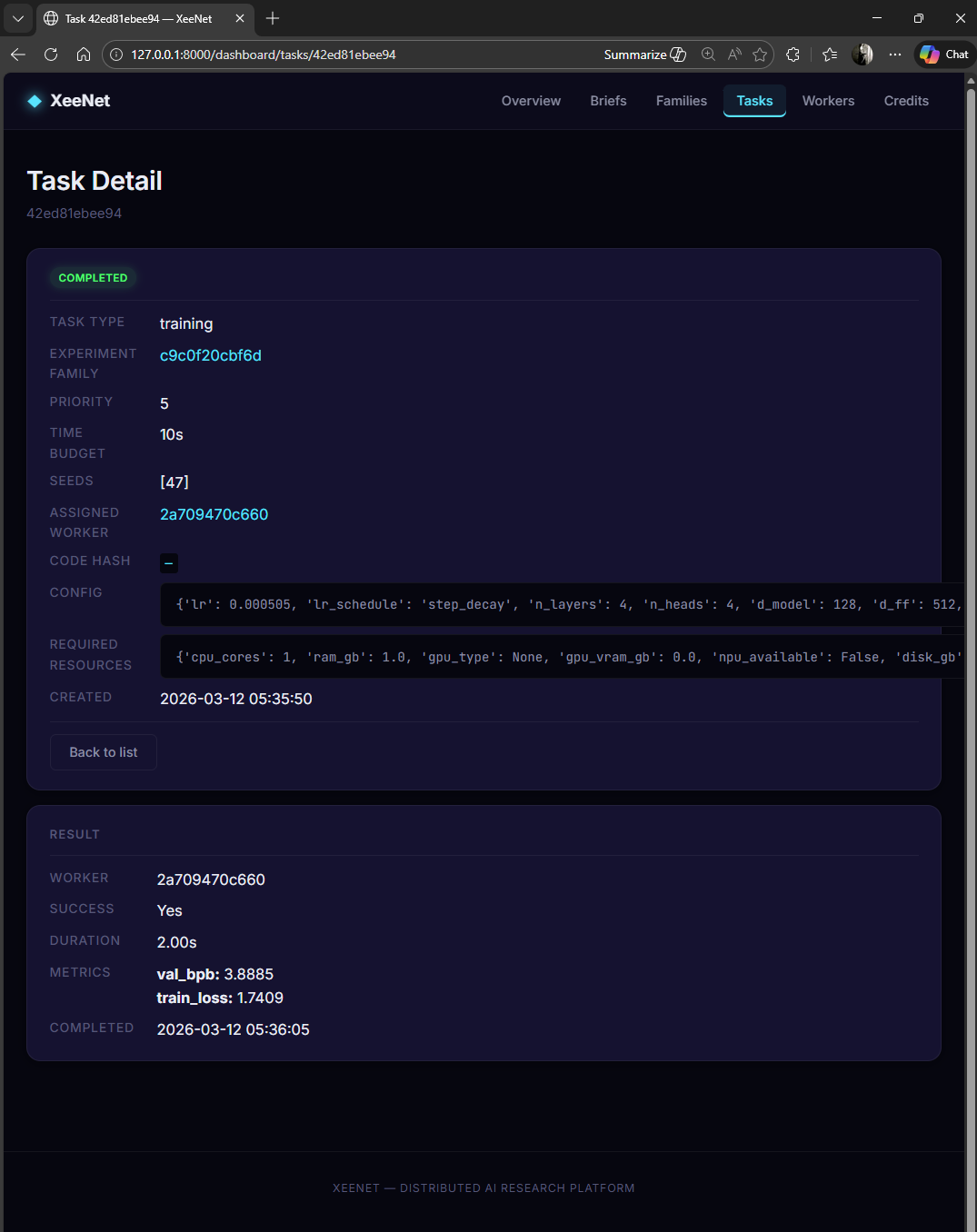
python train_char_lm.py --config-file config.jsonThe config file is a flat JSON object with all hyperparameters. The script reads it, trains the model, evaluates periodically, and outputs a single JSON line to stdout on completion:
{
  "val_bpb": 3.5906,
  "train_loss": 2.1847,
  "steps_completed": 1531,
  "wall_time_seconds": 9.02,
  "device_used": "cpu",
  "model_params": 198721
}
All other logging goes to stderr. This separation is critical: the worker parses stdout for the result JSON, while stderr is available for debugging.
Dual Deadline Pattern
Training tasks use a two-layer timeout system to guarantee termination:
0s – 54s
54s – 60s
60s – 75s
- Soft deadline (in-script): The training loop checks elapsed time each step. At 90% of the time budget, it stops training, runs a final evaluation, and exits cleanly with metrics.
- Hard deadline (worker-side): The worker sets a kill timer at
time_budget + 15 seconds. If the script hasn't exited by then, the process is terminated. This catches hangs, infinite loops, and GPU driver issues.
Config-via-Temp-File Pattern
Hyperparameter configs are passed to the training script via temporary JSON files, not command-line arguments. This is a deliberate design choice:
- No shell escaping issues: Windows cmd.exe and PowerShell handle quotes differently. JSON in a file avoids all quoting problems.
- Arbitrary complexity: Nested configs, arrays, and special characters work without serialisation concerns.
- Clean process interface: The script has a single argument
(
--config-file) regardless of how many hyperparameters exist. - Auditability: The temp file can be preserved for debugging if a task fails.
# Worker writes config to temp file
config = {
    "lr": 0.003, "lr_schedule": "cosine",
    "n_layers": 4, "n_heads": 4, "d_model": 128,
    "d_ff": 512, "batch_size": 64, "context_length": 256,
    "seed": 42, "time_budget_seconds": 60
}
with open(tmp_path, "w") as f:
    json.dump(config, f)

# Spawn training subprocess
proc = subprocess.run(
    [python, "train_char_lm.py", "--config-file", tmp_path],
    capture_output=True, timeout=75
)
Worker Execution Flow
Available?"} CHECK -->|"Yes"| WRITE["Write Config to Temp JSON"] CHECK -->|"No"| SIM["Simulated Fallback
(Seeded PRNG)"] WRITE --> SPAWN["Spawn Python Subprocess"] SPAWN --> TIMER["Start Hard Kill Timer
(budget + 15s)"] TIMER --> WAIT{"Process
Exited?"} WAIT -->|"Yes"| PARSE["Parse JSON from stdout"] WAIT -->|"Timeout"| KILL["Kill Process"] KILL --> ERROR["Error Result"] PARSE --> SUBMIT["Submit Result to Server"] SIM --> SUBMIT ERROR --> SUBMIT SUBMIT --> CLEAN["Clean Up Temp File"] style START fill:#2563eb,stroke:#60a5fa,stroke-width:2px,color:#000 style RESOLVE fill:#16a34a,stroke:#4ade80,stroke-width:2px,color:#000 style CHECK fill:#ca8a04,stroke:#facc15,stroke-width:2px,color:#000 style WRITE fill:#16a34a,stroke:#4ade80,stroke-width:2px,color:#000 style SPAWN fill:#16a34a,stroke:#4ade80,stroke-width:2px,color:#000 style TIMER fill:#16a34a,stroke:#4ade80,stroke-width:2px,color:#000 style WAIT fill:#ca8a04,stroke:#facc15,stroke-width:2px,color:#000 style PARSE fill:#16a34a,stroke:#4ade80,stroke-width:2px,color:#000 style KILL fill:#dc2626,stroke:#f87171,stroke-width:2px,color:#000 style ERROR fill:#dc2626,stroke:#f87171,stroke-width:2px,color:#000 style SIM fill:#9333ea,stroke:#c084fc,stroke-width:2px,color:#000 style SUBMIT fill:#2563eb,stroke:#60a5fa,stroke-width:2px,color:#000 style CLEAN fill:#2563eb,stroke:#60a5fa,stroke-width:2px,color:#000
Both the Python worker agent and the Electron desktop worker follow this same execution pattern. The key steps:
- Resolve script: Locate the training script from
code_package_refrelative to the project root (Python) orprocess.resourcesPath(Electron). - Check PyTorch: Verify
torchis importable. If not, fall back to simulated metrics with a clear warning. - Write config: Serialise the task's config dict (with injected seed and time budget) to a temporary JSON file.
- Spawn subprocess: Execute the training script as a child process with stdout/stderr capture.
- Enforce timeout: Hard kill at
time_budget + 15s. - Parse result: Read the last line of stdout as JSON metrics.
- Clean up: Delete the temp config file.
Verified Results
| Validation | Status | Detail |
|---|---|---|
| Script produces valid JSON | Passed | All required metric fields present |
| Seed reproducibility | Passed | val_bpb within 0.05 across runs with same config |
| Time budget respected | Passed | Script exits within budget, never exceeds hard deadline |
| Different configs produce different results | Passed | 10-task campaign: val_bpb range 3.57-4.89, std 0.56 |
| GPU detection (NVIDIA) | Passed | Auto-installs CUDA PyTorch when GPU detected |
| Simulated fallback | Passed | Clean degradation with UI badge when no PyTorch |
| 110 automated tests | Passed | Config generators, script output, orchestrator, worker, API |